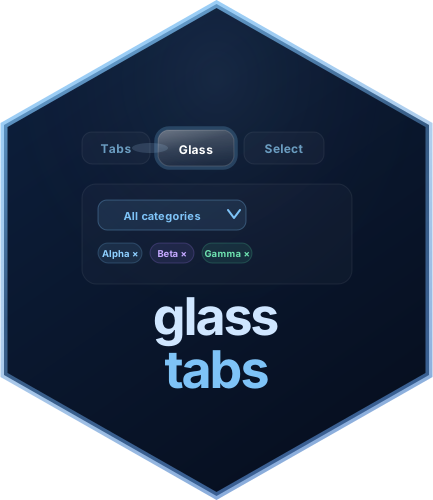
What is glasstabs?
glasstabs provides animated Shiny widgets for tab navigation and selection controls:
- Tabs: a glass-morphism tab navigation bar with a sliding halo, spring easing, and a luminous transfer trace between tabs
- Multi-select filter: a dropdown filter with animated checkboxes, live search, tag-pill display, and three checkbox styles
- Single-select dropdown: an animated single-select input with optional search and clear support
All widgets work in plain fluidPage() and in bs4Dash.
They can be used together or independently. —
Installation
# From CRAN
install.packages("glasstabs")

# From GitHub
pak::pak("PrigasG/glasstabs")

# From source
devtools::install_local("path/to/glasstabs")
The one rule: call useGlassTabs() once
Every glasstabs app needs exactly one call to
useGlassTabs() somewhere in the UI. It injects the CSS and
JavaScript as a proper htmltools dependency.
library(shiny)
library(glasstabs)

ui <- fluidPage(
  useGlassTabs(),   # <-- this is all you need
  # ... rest of your UI
)
Tab widget in 3 minutes
Step 1 — define your tabs
Each glassTabPanel() takes a unique value,
a display label, and any UI content:
glassTabPanel("overview", "Overview", selected = TRUE,
  h3("Welcome"),
  p("This is the overview pane.")
)
Step 2 — assemble with glassTabsUI()
Pass your panels to glassTabsUI() along with a namespace
id:
ui <- fluidPage(
  useGlassTabs(),
  glassTabsUI("nav",
    glassTabPanel("overview", "Overview", selected = TRUE,
      shiny::h3("Welcome"),
      shiny::p("Start here.")
    ),
    glassTabPanel("analysis", "Analysis",
      shiny::h3("Analysis"),
      shiny::p("Your charts go here.")
    ),
    glassTabPanel("settings", "Settings",
      shiny::h3("Settings"),
      shiny::p("Configuration options.")
    )
  )
)
Step 3 — read the active tab in the server
The active tab value is pushed to Shiny automatically on every click:
server <- function(input, output, session) {
  observe({
    req(input[["nav-active_tab"]])
    message("User is on: ", input[["nav-active_tab"]])
  })
}

if (interactive()) shinyApp(ui, server)
Multi-select filter
Step 1 — define choices and place the widget
choices <- c(Alpha = "alpha", Beta = "beta", Gamma = "gamma", Delta = "delta")

ui <- fluidPage(
  useGlassTabs(),
  glassMultiSelect("category", choices),
  verbatimTextOutput("selected")
)
Step 2 — read the selection in the server
server <- function(input, output, session) {
  output$selected <- renderPrint(input$category)
}

if (interactive()) shinyApp(ui, server)
input$category is always a plain character vector of the
checked values — use it like any other Shiny input to filter data, drive
outputs, or trigger reactives.
Optional reactive helper
If you want a small convenience wrapper:
server <- function(input, output, session) {
  ms <- glassMultiSelectValue(input, "category")

  observe({
    message("Selected: ", paste(ms$selected(), collapse = ", "))
    message("Style: ", ms$style())
  })
}
Updating from the server
glassMultiSelect() also supports server-side
updates:
server <- function(input, output, session) {
  observeEvent(input$reset, {
    updateGlassMultiSelect(
      session,
      "category",
      selected = character(0)
    )
  })
}
Single-select dropdown
Step 1: add a single-select input
choices <- c(
  North = "north",
  South = "south",
  East  = "east",
  West  = "west"
)

ui <- fluidPage(
  useGlassTabs(),
  glassSelect("region", choices, clearable = TRUE),
  verbatimTextOutput("selected")
)
Step 2: read the value in the server
server <- function(input, output, session) {
  output$selected <- renderPrint(input$region)
}

if (interactive()) shinyApp(ui, server)
input$region is a single character value, or
NULL when nothing is selected.
Updating from the server
server <- function(input, output, session) {
  observeEvent(input$pick_south, {
    updateGlassSelect(
      session,
      "region",
      selected = "south"
    )
  })
}
Using them together
A common pattern is using one or more filters to drive content inside
tab panes. Pass a widget to extra_ui and place
glassFilterTags() inside panes to show active multi-select
filters as removable tag pills.
choices <- c(North = "north", South = "south", East = "east", West = "west")

ui <- fluidPage(
  useGlassTabs(),
  glassTabsUI("main",
    extra_ui = glassMultiSelect(
      inputId             = "region",
      choices             = choices,
      show_style_switcher = FALSE
    ),
    glassTabPanel("summary", "Summary", selected = TRUE,
      shiny::h3("Summary"),
      glassFilterTags("region"),        # tag pills appear here
      shiny::uiOutput("summary_text")
    ),
    glassTabPanel("detail", "Detail",
      shiny::h3("Detail"),
      glassFilterTags("region"),        # same filter, second pane
      shiny::tableOutput("detail_table")
    )
  )
)

server <- function(input, output, session) {

  # Fall back when an input is NULL or empty (no selection yet).
  fallback <- function(x, default) if (is.null(x) || length(x) == 0) default else x

  selected_regions <- reactive({
    fallback(input$region, unique(unname(choices)))
  })

  output$summary_text <- renderUI({
    shiny::p("Showing data for: ",
             shiny::strong(paste(selected_regions(), collapse = ", ")))
  })

  output$detail_table <- renderTable({
    data.frame(Region = selected_regions())
  })
}

if (interactive()) shinyApp(ui, server)
Choosing a theme
Both widgets default to "dark". Switch to
"light" or supply a custom theme object — in each case you
only override what you need:
# Built-in light preset
glassTabsUI("nav",    theme = "light", ...)
glassMultiSelect("f", theme = "light", ...)

# Custom — one field each
glassTabsUI("nav",
  theme = glass_tab_theme(halo_bg = "rgba(251,191,36,0.15)"),
  ...
)

glassMultiSelect("f", choices,
  theme = glass_select_theme(accent_color = "#f59e0b")
)
bs4Dash
Add wrap = FALSE so the glass halo positions itself
relative to the card body rather than a full-page container. Pair with
theme = "light":
library(bs4Dash)
library(glasstabs)

choices <- c(Alpha = "alpha", Beta = "beta", Gamma = "gamma")

ui <- bs4DashPage(
  header  = bs4DashNavbar(title = "My App"),
  sidebar = bs4DashSidebar(disable = TRUE),
  body    = bs4DashBody(
    useGlassTabs(),
    bs4Card(
      title = "Analysis", width = 12,
      glassTabsUI("dash",
        wrap = FALSE,
        theme = "light",
        extra_ui = glassMultiSelect(
          "f",
          choices,
          theme = "light",
          show_style_switcher = FALSE
        ),
        glassTabPanel("a", "Overview", selected = TRUE,
          shiny::p("Overview content.")
        ),
        glassTabPanel("b", "Detail",
          shiny::p("Detail content.")
        )
      )
    )
  )
)

server <- function(input, output, session) {}
if (interactive()) shinyApp(ui, server)
A useful starting pattern
Most apps only need one setup call, one navigation widget, and the controls that belong near it. This compact pattern is ready to adapt:
ui <- fluidPage(
  useGlassTabs(),
  glassTabsUI(
    "main",
    glassTabPanel("summary", "Summary", selected = TRUE, summary_ui),
    glassTabPanel("details", "Details", details_ui),
    extra_ui = glassSelect(
      "region",
      c(North = "north", South = "south"),
      clearable = TRUE,
      theme = "auto"
    ),
    theme = "auto"
  )
)

server <- function(input, output, session) {
  active_tab <- glassTabsServer("main")

  observe({
    region <- if (is.null(input$region)) "all" else input$region
    message("Tab: ", active_tab(), "; region: ", region)
  })
}
From here, add only the options the app actually needs. Every widget
keeps the usual Shiny model: place it in the UI, read its value from
input, and use an update helper when the server needs to
change it.